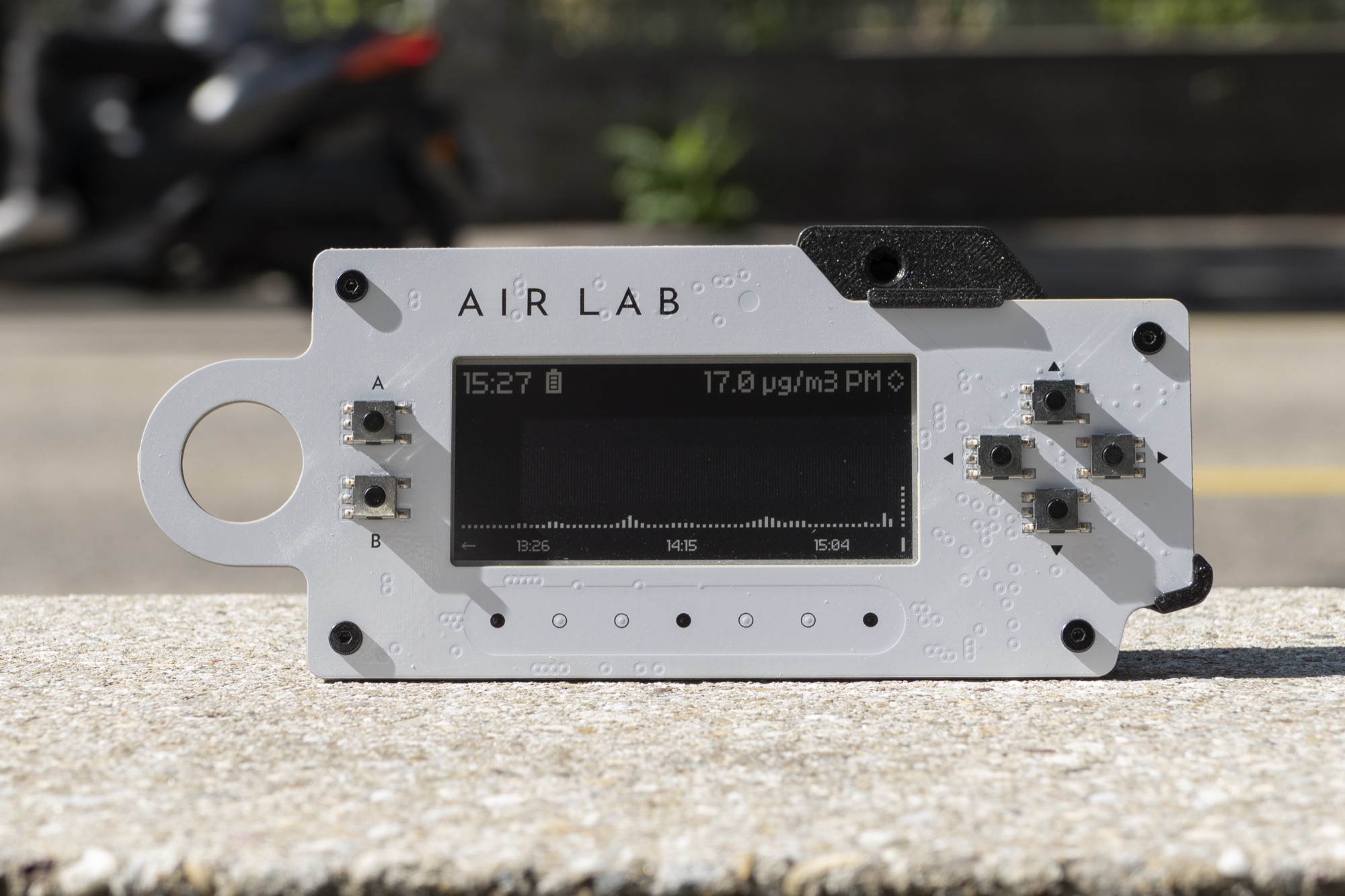
Particulate Matter
Learn how to extend your Air Lab with a Bosch BMV080 particulate matter sensor and measure PM2.5 in the air around you. The sensor is supported by Air Lab directly, so no additional plugin or script is required.
Particulate matter, or PM, describes tiny solid particles and liquid droplets suspended in the air. Common sources include cooking, fireplaces, traffic, construction, dust and smoke. In this project, we'll connect a Bosch BMV080 sensor and add particulate matter to the parameters your Air Lab measures.
Particles are grouped according to their size. PM10 refers to particles up to 10 µm in diameter, PM2.5 to particles up to 2.5 µm, and PM1 to particles up to 1 µm.
The BMV080 uses a miniature laser and integrated photodiodes to detect particles. Unlike many conventional particulate matter sensors, it doesn't require a fan to draw air through a measurement chamber. This makes the sensor compact, quiet and suitable for portable devices such as Air Lab. It reports particulate matter as a mass concentration in micrograms per cubic meter (µg/m³), covering a PM2.5 range of 0–1000 µg/m³ with a resolution of 1 µg/m³.
Hardware
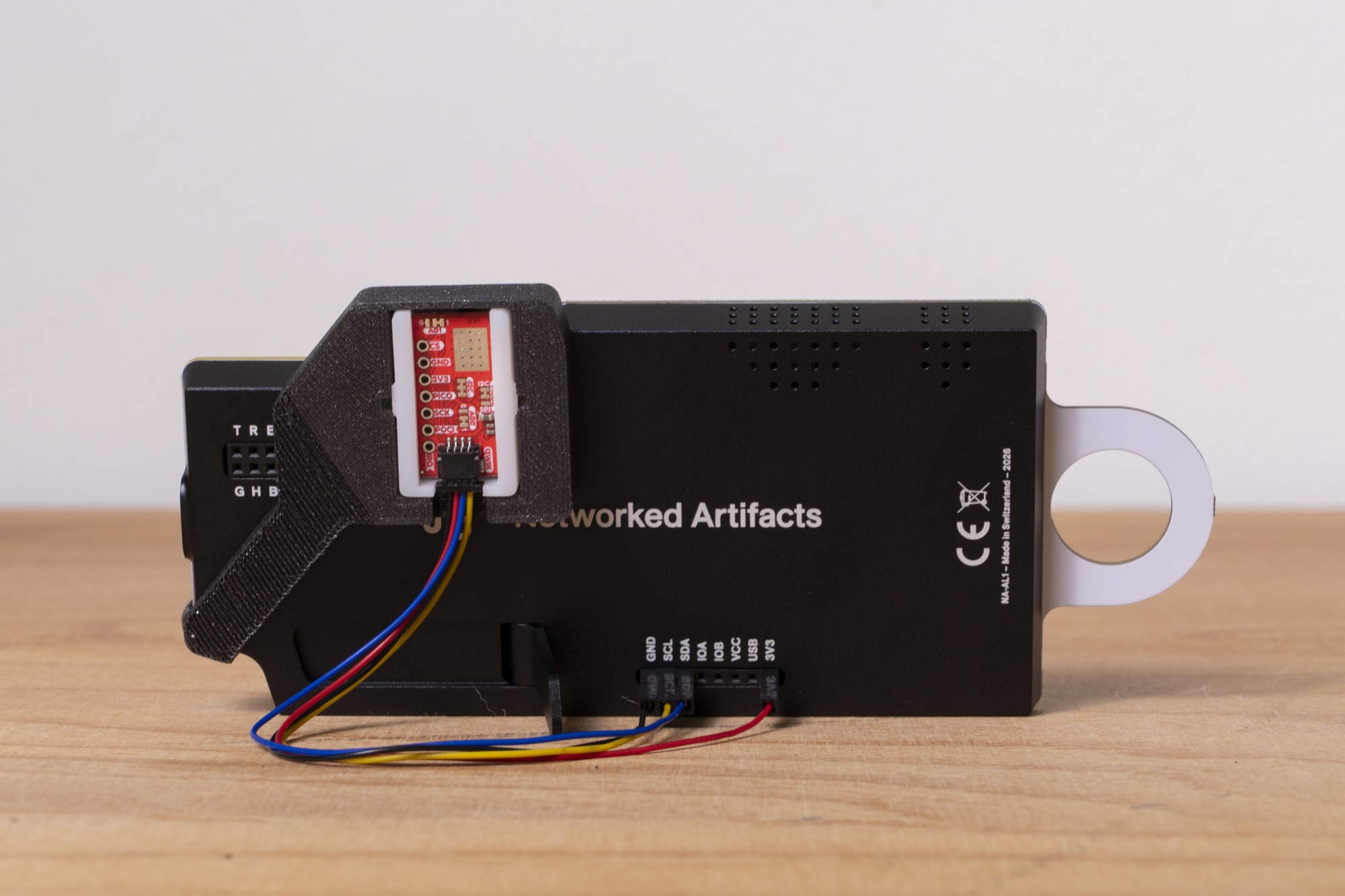
Air Lab's extension port allows connecting further sensors and components through its back panel. For this project, we'll use the SparkFun Air Quality Sensor - BMV080 breakout together with a Qwiic cable with breadboard jumpers. The cable's Qwiic connector plugs into the breakout, while its four loose pins go into Air Lab's extension port, so nothing needs to be soldered. Qwiic carries I2C, which is how the sensor talks to your Air Lab.
Note: The wire colors follow the Qwiic standard. If you're using a different cable or carrier board, check its documentation and pin labels before connecting it to your Air Lab.
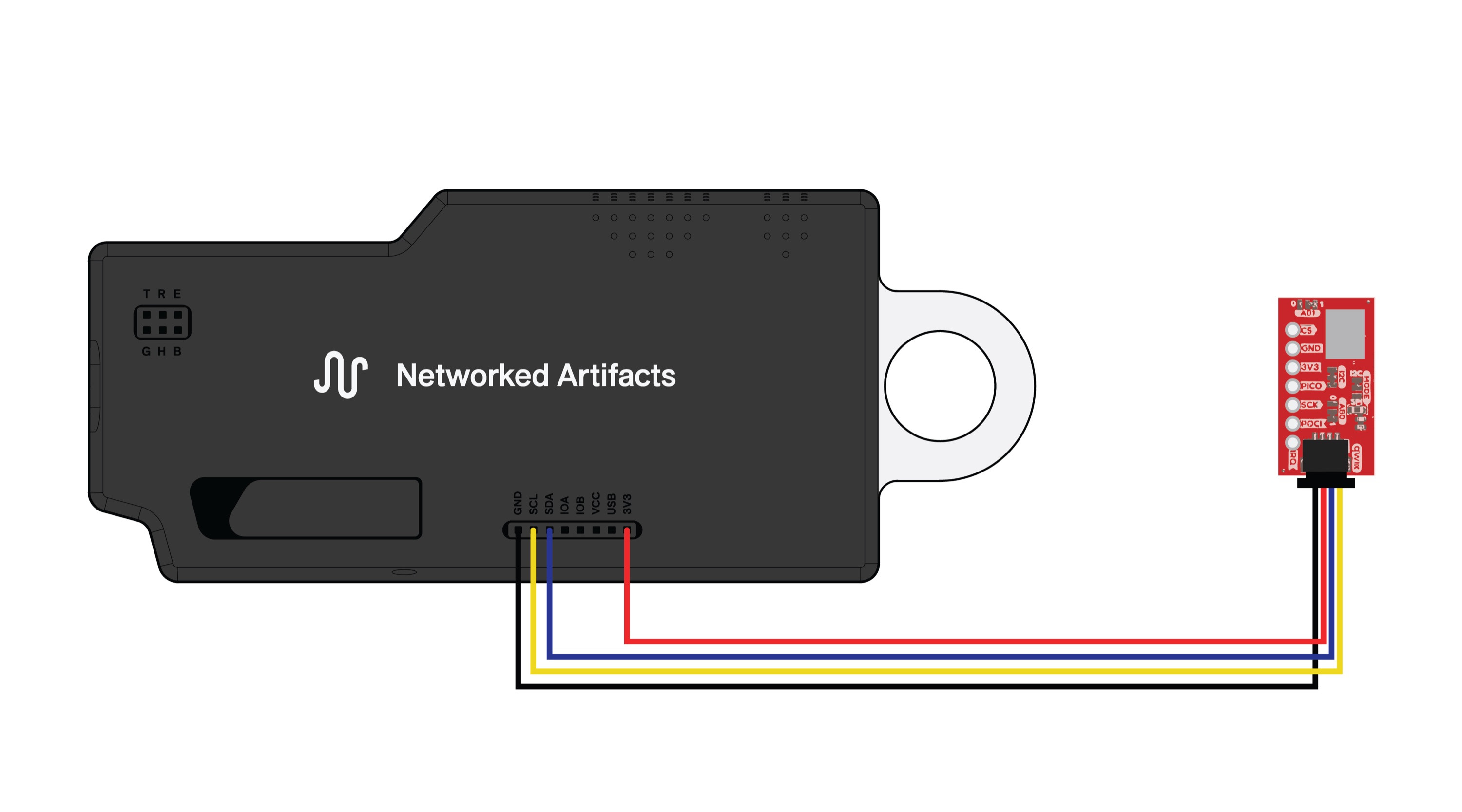
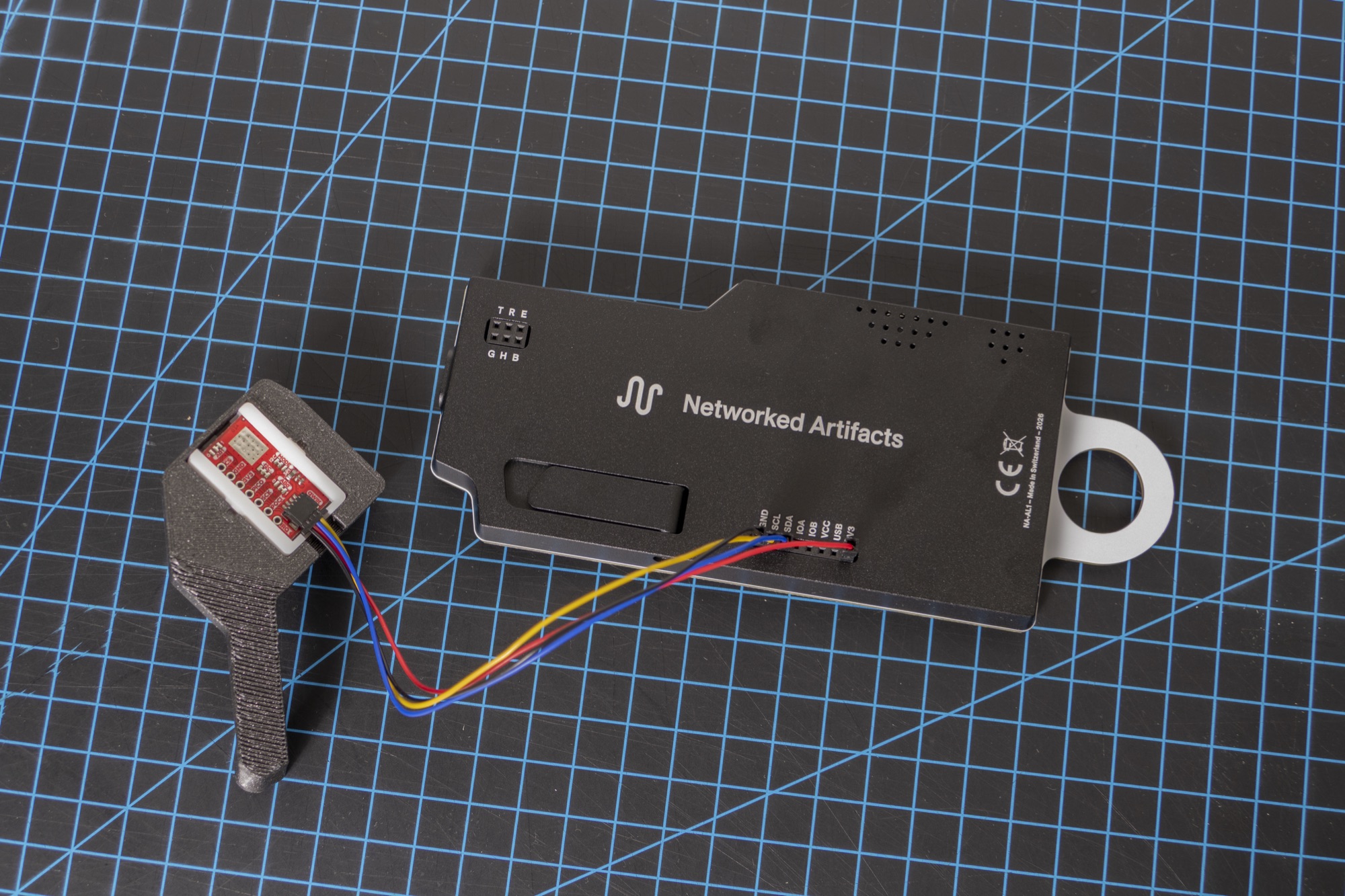
Plug the Qwiic end into the breakout, then connect the four wires to your Air Lab:
- Connect the black wire to Air Lab's
GND. - Connect the yellow wire to Air Lab's
SCL. - Connect the blue wire to Air Lab's
SDA. - Connect the red wire to Air Lab's
3V3.
Measuring Particulate Matter
Air Lab supports the BMV080 natively and detects it automatically, as long as your Air Lab runs firmware v1.0.0 or later. No firmware modification, plugin or script is needed. Detection happens on startup, so restart your Air Lab after connecting the sensor, or let it go to sleep and wake it up again.
Note: The BMV080 also reports PM1 and PM10, but it derives both from its PM2.5 measurement in software instead of measuring them directly. Because these values are estimates, your Air Lab doesn't show them.
PM2.5 then appears alongside the built-in air parameters, in µg/m³. In Live View and when analyzing past measurements, it joins the values you cycle through with , between NOx and pressure. On the idle screen, it takes the place of the atmospheric pressure reading. How often it's sampled while your Air Lab sleeps is set by PM Sample Rate, described under Power & Battery.
Sensor Placement
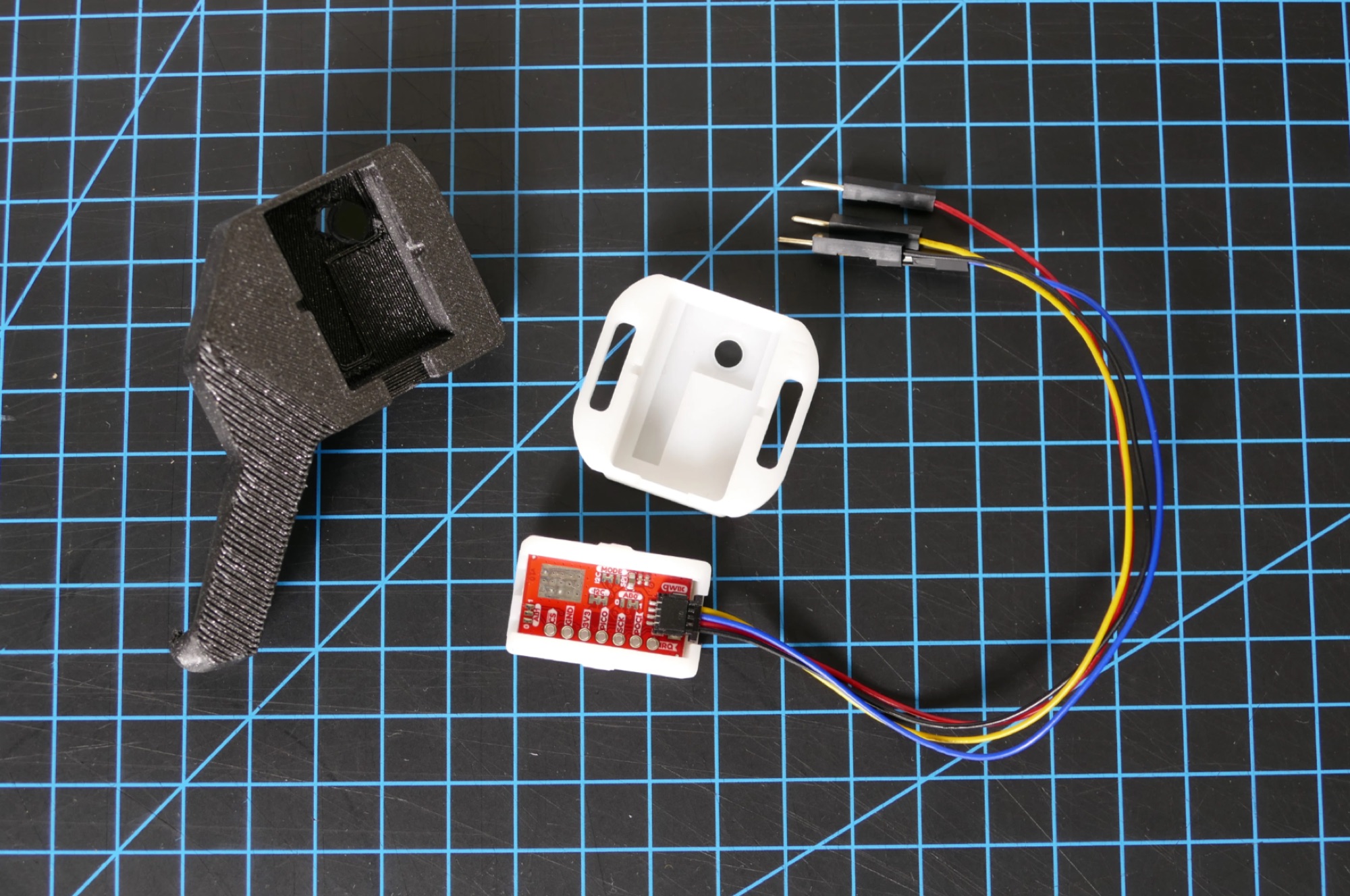
Placement matters when measuring particulate matter. To attach the BMV080 to your Air Lab, we've designed a 3D-printable sensor mount. You can download the STL for free and print it yourself. It positions the BMV080 directly onto your Air Lab while keeping the sensor's measurement area exposed to the surrounding air.
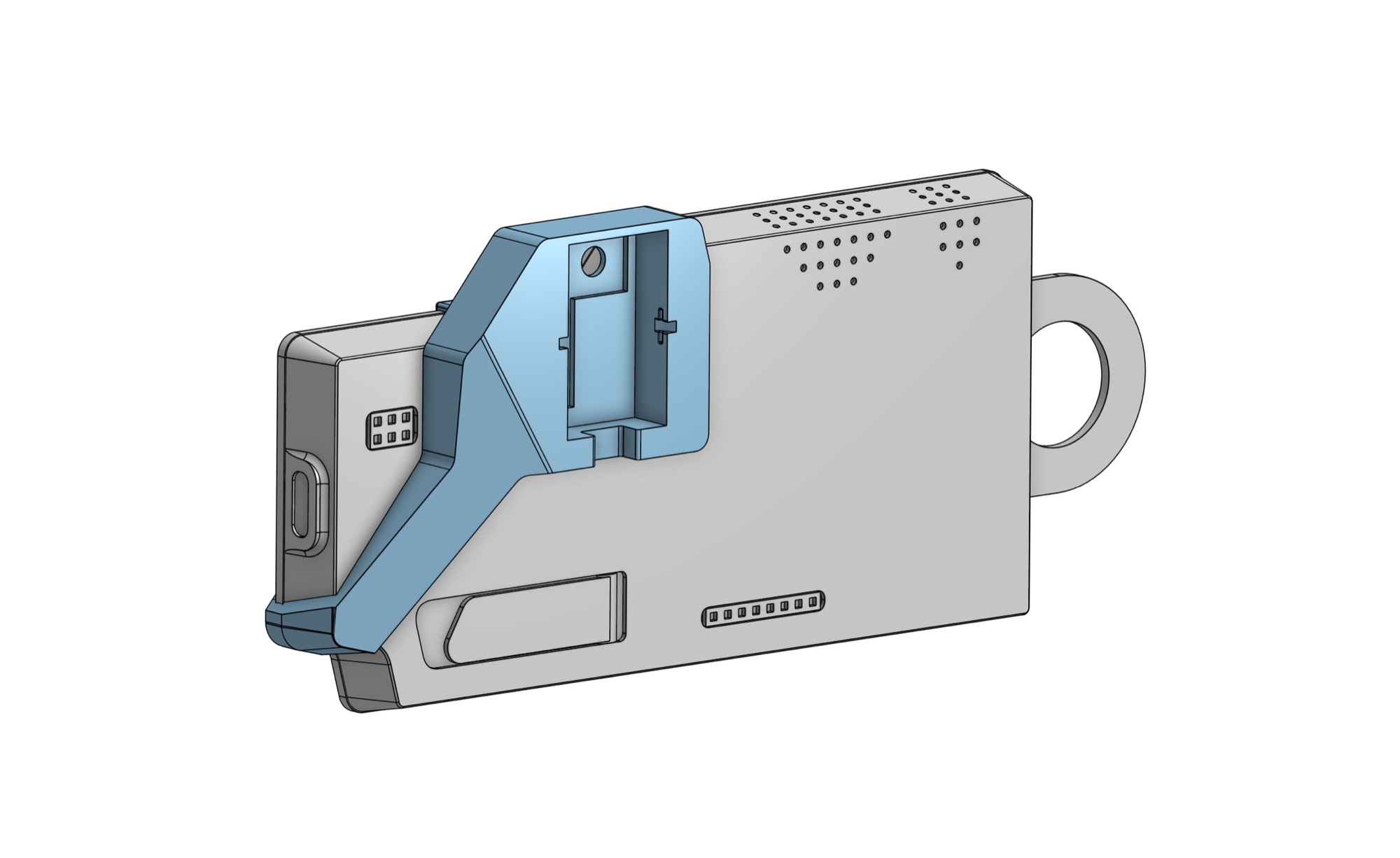
Once printed, attach the BMV080 to the mount and then attach the mount to your Air Lab. The mount replaces the bigger white piece that comes with the SparkFun breakout and slides onto your Air Lab from the side with the USB-C port.
Note: Give the sensor a little time to settle after powering it on or moving it to a different environment. Also avoid breathing directly onto the sensor or blocking the measurement area, as this can influence the reading.
You don't have to use the 3D-printed mount. The BMV080 can also be positioned independently. When doing so, make sure the sensor has access to the surrounding air and that the area above it remains unobstructed. The sensor measures particles in a small region approximately 5–10 mm above its lens, so this area needs to stay open.
If something blocks that region, your Air Lab flags the affected samples. In Live View and in recorded measurements, they appear as dashed bars in the chart instead of solid ones—the quickest way to tell whether the sensor has a clear view.
Exploring
With the sensor connected, you can use your Air Lab to investigate particulate matter in different environments. For example, compare the PM measurements:
- Indoors and outdoors
- Before and after opening a window
- While cooking and after ventilation
- Close to a busy road and in a quieter location
- Before and after cleaning or vacuuming a room
Particulate matter can vary significantly over short distances and periods of time. Adding the BMV080 therefore complements your Air Lab's other measurements and makes it possible to investigate particle pollution directly where it occurs.
And that's it!
You learned how to connect a Bosch BMV080 particulate matter sensor to your Air Lab and extend its measurements with PM readings. If you have any questions or a wish for a tutorial covering another external sensor, reach out to us hello@networkedartifacts.com.