Device Settings
Adjust device settings, view system information, and configure how your Air Lab captures data.
The Settings program gives you access to device information, power controls, and configuration options. Navigate to it from Prof. Robin's computer in the Lab.
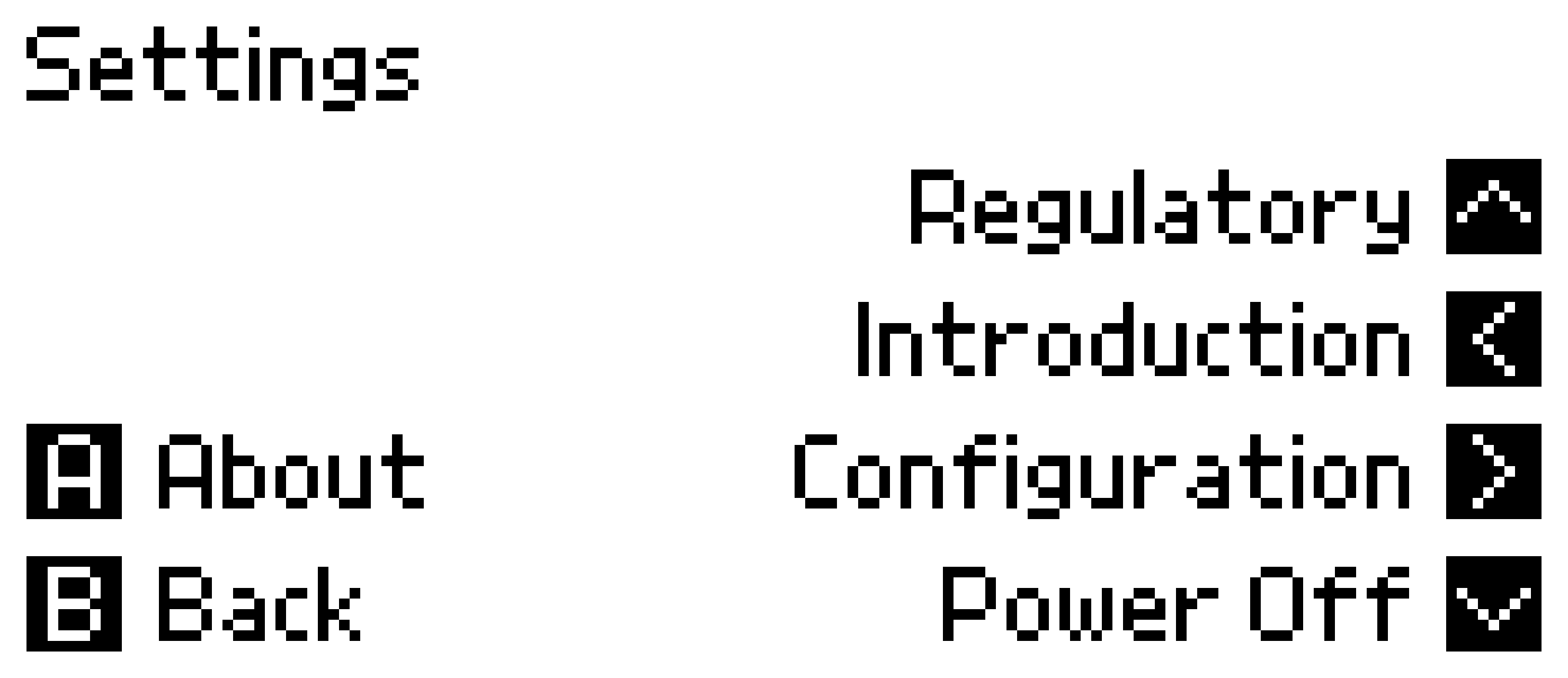
Power Off
To power off your Air Lab, enter Settings and press . The device will shut down completely.
Tip: To store your Air Lab long-term, use Shipping Mode in Developer Mode instead—this disconnects the battery to prevent discharge.
About
Press in Settings to view device information:
- Device Name: The name shown during Bluetooth pairing (customizable via Air Lab Console).
- Serial Number: Your device's unique identifier.
- Firmware Version: The currently installed firmware.
- Storage: Available space for recordings (internal) and CSV files (external).
Regulatory
Press in Settings to view regulatory information and certifications.
Introduction
Press in Settings to replay the onboarding tutorial that appears when you turn on the device.
Configuration
Press in Settings to access configuration options, organized into five sections: General, Measurement, Power, Connectivity, and Advanced. The same organization is used by Air Lab Console and the Air Lab App, so a setting lives in the same place on every surface.
Note: Some settings like Device Name and Wi-Fi Network can only be changed through Air Lab Console or the Air Lab App. They appear here for reference but can't be modified on-device.
General
- Language: English, German, Spanish, and French are available.
- Date & Time: Set the current date and time, entered in your local time zone. If you skipped this during setup, adjust it here. Air Lab Console and the Air Lab App can also sync the clock from your computer or phone whenever it drifts.
- Timezone: Your local time zone. It changes how times are displayed on the device's screen and in Air Lab Console—all recorded, exported, and transmitted data is timestamped in UTC. Setting a time zone also enables automatic network time synchronization. It is shown here for reference and set through Air Lab Console or the Air Lab App.
- Temperature Unit: Switch between Celsius (°C) and Fahrenheit (°F).
Measurement
These settings control how data is captured and retained. See Sample Collection for details on how sampling works.
- Awake Sample Rate: How often samples are taken while the device is awake or connected. Options: 5 seconds to 5 minutes (default: 5 seconds).
- Long-term Interval: How often samples are written to the long-term buffer. Range: 30–900 seconds in 10-second increments (default: 300).
Power
These settings determine how long a battery charge lasts. Start with the Profile selector, which applies a preset balance between responsiveness and runtime—see Power & Battery for what each setting trades.
- Profile: Steps through the preset battery life configurations, showing the estimated runtime of each.
- Sleep Sample Rate: How often samples are taken in sleep state. Options: 5 seconds to 10 minutes (default: 60 seconds).
- Display Refresh: How often the idle screen is redrawn. Options: 1 to 5 minutes (default: 1 minute).
- Record Sample Rate: How often samples are taken during a measurement. Options: 5 seconds to 5 minutes (default: 5 seconds).
- Gas Sensor Mode: Whether the VOC/NOx sensor runs continuously, is duty cycled, or stays off while sleeping.
- Gas Active Window: How long the VOC/NOx sensor is active per measurement interval when duty cycled.
- Gas Power Grace: How long the VOC/NOx sensor keeps running after the device is unplugged.
- PM Sample Rate: On devices with a particulate matter sensor, how often PM is additionally measured while sleeping. Options: Off, or 30 seconds to 5 minutes (default: Off).
Connectivity
- Wi-Fi Network / MQTT Broker / Home Assistant: Displays current network settings. See Wi-Fi & MQTT and Home Assistant to set them up.
- BLE Prevent Sleep: Keeps your Air Lab awake while a Bluetooth connection is active instead of going to sleep.
- MQTT Prevent Sleep: Keeps your Air Lab awake while connected to MQTT.
- Bluetooth Pairing / Bonding: See Bluetooth Pairing for details.
- Clear BT Devices: Removes all stored Bluetooth pairings.
Advanced
- Power Light: The LED blinks white while charging and stays white while USB is connected but not charging. Set to Off to disable the white LED entirely.
- CO₂ Light: Enables or disables the CO₂ level indicator LED. See Indicator for details.
- Developer Mode: Shows the developer menu on the device. See Developer Mode.
- Altitude ASL: Your location's height above sea level. Air Lab uses it to report atmospheric pressure normalized to sea level (hPa), so your readings line up with the values published by weather services. Leave it at 0 to report the raw pressure measured at your location. See Atmospheric Pressure for background.
- Clock Calibration: Adjusts the clock drift in parts per million (−63 to +126). Negative values slow the clock, positive values speed it up.
- Full Reset: Erases all data on the device, including recordings and settings.